
Quick answer: use a half fold for simple two-panel storytelling, a tri-fold for the classic rack brochure with a guided reading order, and a Z-fold when panels should open flat like an accordion. All three are available in our Flyers & Brochures category with instant pricing.
The main folds, compared
Half fold (bi-fold)
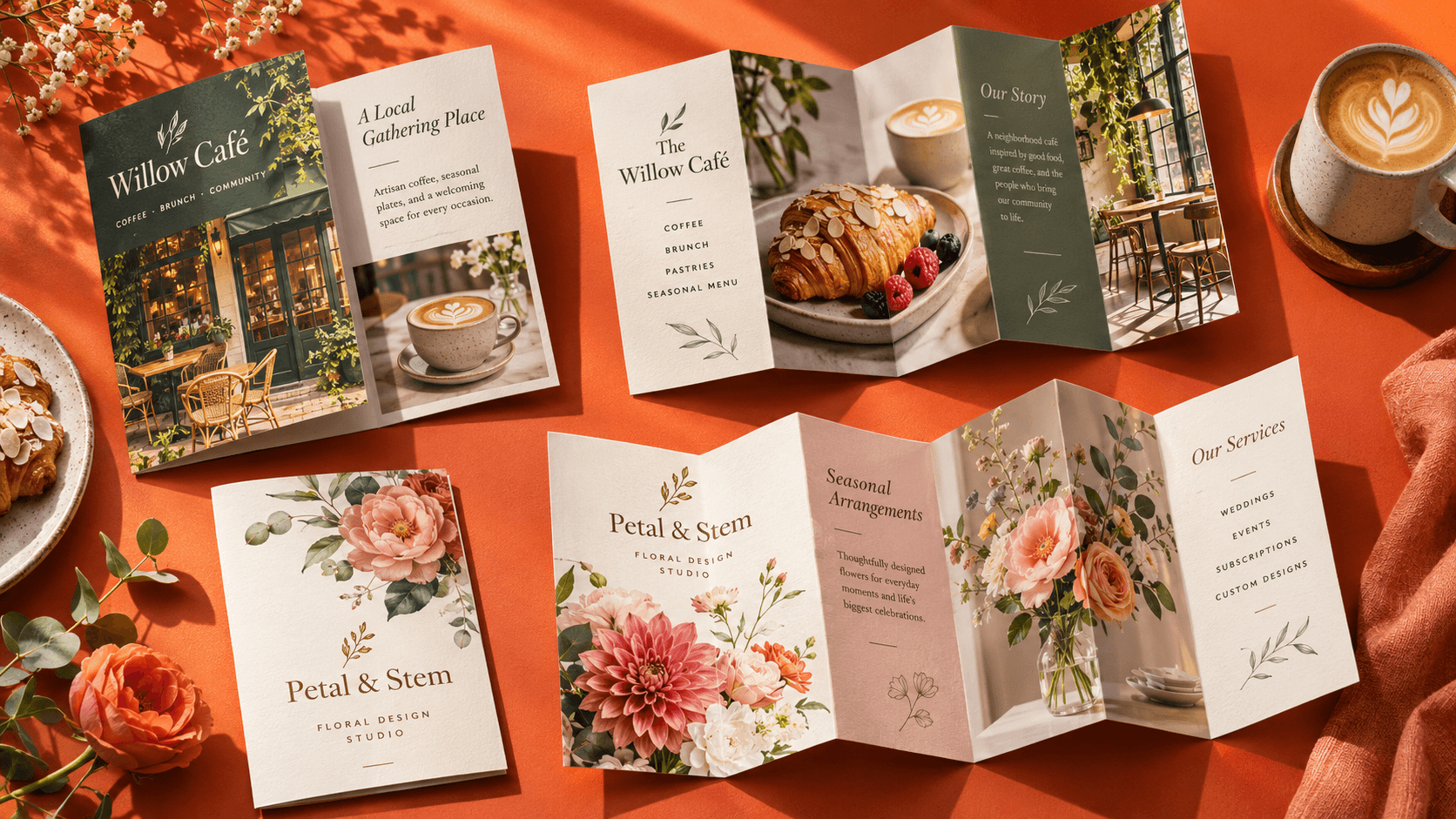
One fold down the middle turns a sheet into 4 panels. Big, open panels suit image-led pieces — menus, lookbooks, event programs. Order: Half Fold Brochures.
Tri-fold (letter fold)
The right panel folds in, then the left wraps over it — 6 panels with a natural front-cover → inside → back reading order. The standard for rack brochures, service overviews and takeaway pieces. Order: Tri-Fold Brochures.
Z-fold (accordion)
Panels alternate direction and open flat in one motion — good for step-by-step content, timelines and maps, and easy to mail. Order: Z-Fold Brochures.
Specialty folds
Gate folds, roll folds and other formats for launches and premium pieces: Specialty Folds Brochures.
Panel setup rules that save reprints
- Panels are not equal on a tri-fold. The panel that folds inside is slightly narrower (about 1/16") so the piece closes flat — our templates have the panel widths pre-measured.
- Design in reading order, not sheet order. On a tri-fold, the front cover is the right-hand panel of the outside face.
- Keep text off the folds. Leave clear space around each crease; ink-heavy areas on a crease can crack.
- Bleed applies to the flat sheet. Add the standard 0.125" bleed to the unfolded size — details in our bleed guide.
Common flat sizes we print
Our brochure range runs from compact 5.5" x 8.5" pieces up to 8.5" x 11" letter, 11" x 17" tabloid and tall 5.5" x 17" formats — configure the exact size, stock and fold on the category page for live pricing, and approve a free digital proof before printing.